You're drowning in scattered meeting notes, project updates, and random scribbles that somehow contain critical deadlines. Every day, you spend precious minutes manually typing event details into your calendar, wondering if there's a faster way to transform those notes into actual scheduled reminders.
There is. And it doesn't require becoming a tech wizard.
Modern AI tools can now read virtually any type of note: handwritten, typed, photographed, or scanned: and instantly convert the relevant information into calendar events. No more missed deadlines buried in meeting notes. No more retyping the same information twice.
The Reality of Note-to-Calendar Chaos
Project managers and coordinators know this pain intimately. You walk out of a meeting with pages of handwritten notes containing action items, deadlines, and follow-up meetings. Then you face the tedious process of parsing through everything and manually creating calendar entries.
The average professional spends 23 minutes per day on calendar management tasks. That's nearly two hours per week just moving information from one place to another.

Every Note Type Can Become an Event
The beauty of modern event extraction is its versatility. Your calendar doesn't care whether the original information came from a Post-it note or a formal document: it just needs the essential details.
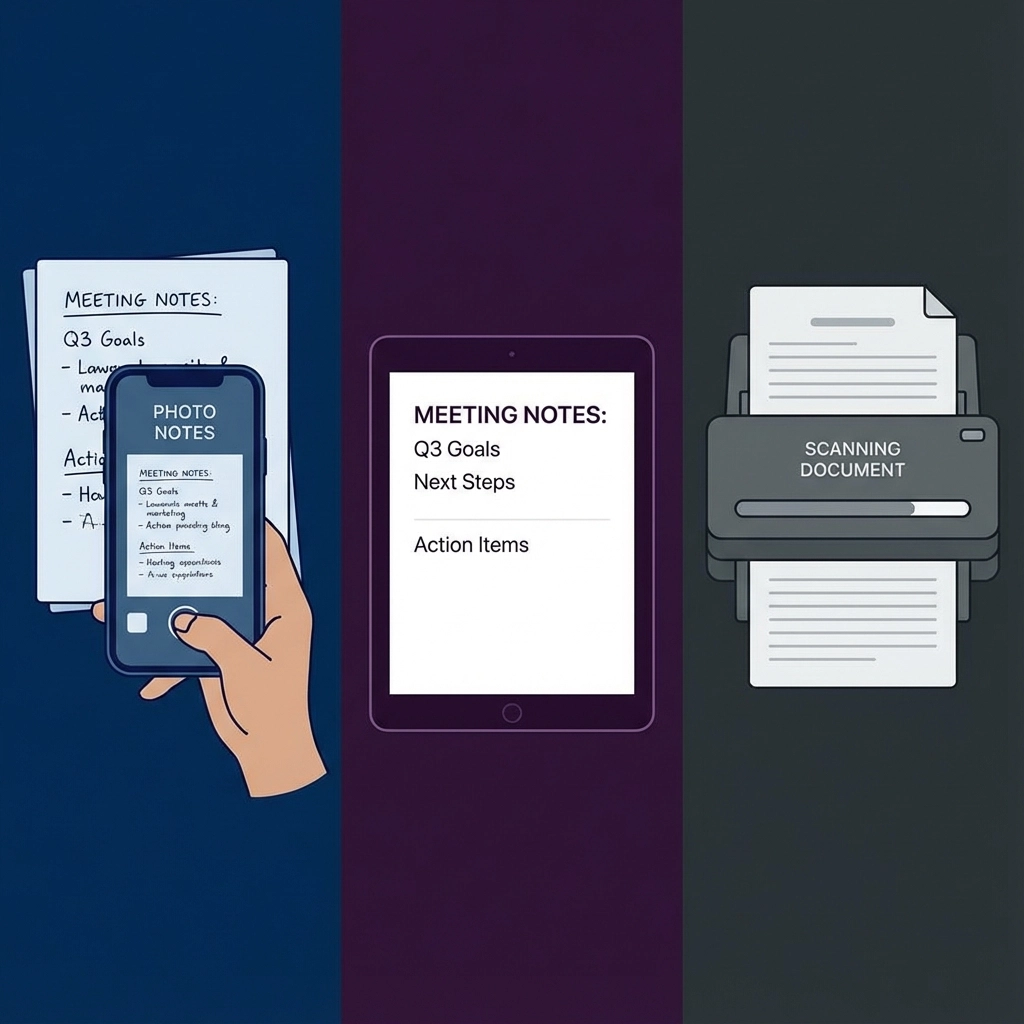
Handwritten Meeting Notes
That notebook you carry to every meeting? It's a goldmine of calendar events waiting to be extracted. Whether you've jotted down "Follow-up call with Sarah – next Tuesday 2pm" or "Project review meeting – March 15th, conference room B," AI can read your handwriting and identify the scheduling components.
Simply photograph your notes with your phone. The extraction process identifies dates, times, locations, and participants automatically. No need to decipher your own handwriting later.
Digital Meeting Notes and Documents
Typed notes from apps like Notion, OneNote, or simple text files often contain embedded scheduling information. AI tools scan through paragraphs of text and pull out sentences like:
- "We need to schedule the quarterly review for the first week of next month"
- "Client presentation is set for Friday at 10am in the main conference room"
- "Budget meeting – every other Tuesday starting April 3rd"
Scanned Documents and PDFs
Old-fashioned paper still plays a role in many workplaces. Meeting agendas, project timelines, and printed emails often contain scheduling information that needs to make it into your digital calendar.
PDF extraction handles formatted documents, maintaining context about recurring meetings, multi-day events, and complex scheduling scenarios that might confuse simpler tools.
Screenshots and Images
Ever received a screenshot of someone else's calendar or a photo of a whiteboard with project timelines? These visual notes can be processed just like any other format.
The AI reads text from images, identifies calendar-relevant information, and creates properly formatted events with all the necessary details.
Why Project Managers Love Automated Event Creation
Project coordinators deal with more scheduling complexity than almost any other role. Multiple stakeholders, shifting deadlines, recurring check-ins, and last-minute changes create a perfect storm of calendar chaos.
Stakeholder Meeting Management
When you're coordinating between departments, every meeting note contains potential calendar events. AI extraction lets you process entire meeting summaries at once, creating events for all mentioned follow-ups, deadlines, and scheduled check-ins.
Instead of reading through pages of notes and manually identifying what needs scheduling, you get a complete list of calendar-ready events in seconds.
Project Milestone Tracking
Project timelines often live in documents, spreadsheets, or written notes before making it into formal project management tools. Event extraction bridges this gap by converting timeline documents directly into calendar reminders.
Upload your project plan, and get calendar events for every milestone, deliverable deadline, and review meeting without manual data entry.
Resource Scheduling Coordination
When managing team resources and meeting rooms, notes often contain scheduling constraints like "Need conference room for client presentation next Thursday" or "Sarah unavailable Monday-Wednesday next week."
Automated extraction picks up these scheduling details and creates calendar blocks that help prevent double-booking and resource conflicts.
Step-by-Step Process: From Any Note to Calendar Event
The actual conversion process is surprisingly straightforward, regardless of your note format:
Step 1: Capture or Upload Your Notes
- Handwritten notes: Take a clear photo with good lighting
- Digital text: Copy and paste or upload the file
- Documents/PDFs: Upload directly
- Screenshots: Save and upload the image file
Step 2: AI Analysis and Extraction
The tool scans your content for scheduling indicators:
- Date references (specific dates, relative dates like "next Friday")
- Time mentions (specific times, time ranges)
- Location information (room names, addresses)
- Participant lists (names, email addresses)
- Event descriptions and context
Step 3: Review and Refine
You get a list of identified events with all extracted details. This is your chance to:
- Confirm the AI interpreted dates and times correctly
- Add missing information like attendee emails
- Adjust event descriptions for clarity
- Set reminders and recurrence patterns
Step 4: Export to Your Calendar
Choose your calendar platform (Google Calendar, Outlook, Apple Calendar) and export. Events appear in your calendar immediately with all the formatting and details preserved.

Advanced Features for Professional Use
Bulk Processing
Process multiple notes or documents simultaneously. Upload a folder of meeting notes and get calendar events for everything at once.
Recurring Event Detection
AI recognizes patterns like "weekly team meetings" or "monthly client check-ins" and creates properly recurring calendar events instead of one-time entries.
Time Zone Handling
For remote teams, the system can interpret and convert time zone references automatically, ensuring meetings are scheduled correctly for all participants.
Integration Workflows
Many professionals use tools like Text to Calendar as part of larger automation workflows, connecting note-taking apps directly to calendar management systems.
Common Use Cases That Save Hours
Weekly Meeting Follow-ups
After every team meeting, you have action items with deadlines. Instead of manually scheduling follow-up reminders, extract all deadline information at once and populate your calendar with properly timed reminders.
Client Project Coordination
Client communications often contain scheduling requests buried in long email threads or meeting notes. Extract all scheduling-related information and create calendar blocks for deliverables, review meetings, and check-ins.
Event Planning and Logistics
Planning company events or client meetings involves coordinating multiple schedules and deadlines. Convert planning documents directly into comprehensive calendar workflows.
Academic and Training Schedules
Educational institutions and training programs benefit from converting syllabus documents, course schedules, and program timelines into individual calendar events for better time management.
Troubleshooting Common Conversion Issues
Ambiguous Date References
When notes contain relative dates like "next week" or "in two days," make sure to process them close to when they were written. The AI uses the current date as reference for relative calculations.
Multiple Time Zones
If your notes reference meetings across time zones, include the specific time zones in your notes ("3pm EST" vs. just "3pm") for more accurate conversion.
Incomplete Information
Sometimes notes contain partial scheduling information like "call Sarah about the project" without specific times. The AI will extract what it can, and you can fill in missing details during the review step.
Maximizing Efficiency for Coordinators
Project coordinators can streamline their entire workflow by establishing consistent note-taking practices that work well with automated extraction:
- Include complete date and time information when possible
- Use consistent formatting for recurring events
- Note participant information alongside scheduling details
- Include location or meeting platform information

The goal isn't perfect extraction every time: it's reducing the manual work required to get information from notes into your calendar. Even when you need to make minor adjustments, you're still saving significant time compared to manual calendar entry.
Transform your scattered notes into organized calendar events in seconds. Your future self will thank you when those buried deadlines start showing up as timely reminders instead of last-minute surprises.
Leave a Reply